Compatible Components Across Implant Systems: What to Check
Implant component compatibility involves more than fit. Learn which details to verify for safe prosthetic component selection that aligns with your digital workflow.

Compatible components across implant systems are parts whose combined use is intended and technically documented for a specific interface—not simply parts that appear to fit. Selecting them requires checking the implant system and model, connection, platform, screw, instructions for use, and, in a digital workflow, the corresponding CAD library.
The search for compatible dental implant components often arises when treating an older restoration, dealing with an unavailable part, or coordinating the dental office and laboratory. The key is to distinguish visual similarity from documented compatibility: an apparently acceptable fit does not, by itself, demonstrate that the assembly will function as intended.
What Does Implant Component Compatibility Mean?
A prosthetic component is part of a mechanical assembly. The abutment, intermediate abutment, titanium base, screw, and prosthesis must work together at a defined interface, with appropriate geometry, materials, manufacturing tolerances, and conditions of use.
Compatibility therefore needs to be evaluated for the exact component part number and its application, not just the brand or a general connection family.
It is also essential to identify the restorative level. A prosthesis may connect directly to the implant or to an intermediate abutment installed on it. In the latter situation, cylinders, analogs, and impression copings must match the intermediate abutment interface, which is not the same as the implant’s internal interface.
Original, Compatible, and Modified Components: What Is the Difference?
- Original: Supplied by the system manufacturer for the indications described in its documentation.
- Compatible: Produced by another manufacturer, with an explicit indication for use with a particular interface, model, and platform.
- Modified or repurposed: Altered or used outside its documented indication in an attempt to make an assembly work.
A third-party component should not be rejected solely because of its source. However, it must have documentation, traceability, and a verifiable indication for use. A modified or repurposed part cannot be treated as equivalent to a validated component simply because it could be installed.
Read also: Quality in Implant Prosthetic Components: ISO 13485 and What It Guarantees · Multi-Platform Implant Components: Less Inventory, Greater Efficiency · Hand Drivers and Torque Wrench Drivers: Choosing the Right Tool
Connection and Platform: The First Compatibility Checks
Terms such as external hex, internal hex, and conical connection describe connection families, but they do not identify every detail needed to select a component.
Within the same family, engagement length, depth, indexing, and contact surface dimensions may differ. For conical connections, the term “Morse taper” alone does not establish interchangeability.
Implant Diameter Is Not the Same as Restorative Platform Size
The outer diameter of the implant body and the dimensions of its restorative platform are different specifications. One system may share an interface across several implant diameters; another may require different components for each platform.
Knowing only the diameter reported by the patient or noted on a radiograph is therefore not enough to select a component. The catalog and identification of the actual implant model must be checked.
Indexing and Restoration Indications
Indexing helps establish the rotational position of a component. This is especially relevant for single-unit restorations, where rotational control is part of the mechanical treatment plan.
Indexed and nonindexed components have specific applications. Selection depends on the system, restorative level, and whether the restoration is single-unit or multi-unit. The indication for a base intended for multi-unit frameworks should not be extended to a single crown without manufacturer support.
What to Check Before Selecting a Compatible Component
A structured assessment reduces decisions based on trial and error. The table summarizes the details that need to be cross-checked against patient records, catalogs, and instructions for use.
| Item | What to Check | Why It Matters |
|---|---|---|
| Implant identification | Manufacturer, product line, model, and platform | Defines the required interface |
| Connection | Documented geometry, indexing, and dimensions | Visual similarity does not guarantee seating |
| Restorative level | Implant-level or abutment-level | Prevents mixing different interfaces |
| Component | Part number and clinical indication | Defines intended uses |
| Screw | Model specified for the assembly | Affects fixation and preload |
| Torque | Value and sequence in the instructions for use | Prevents applying another component’s parameters |
| Digital workflow | Scan body, library, base, and analog | Maintains consistency between design and fabrication |
| Traceability | Manufacturer, lot number, and applicable regulatory status | Supports tracking and maintenance |
The marketing phrase “compatible with” should prompt a review of the documentation, not conclude the assessment. If the indication mentions only a brand without specifying the product line and platform, it is prudent to request specific technical confirmation.
Prosthetic Screws and Torque Are Also Part of Compatibility
The screw is not an interchangeable accessory unrelated to abutment selection. Its length, threads, head geometry, and bearing surface must match the specified assembly.
A component may appear seated even though the screw bottoms out before achieving the intended fixation. Inadequate contact beneath the screw head may also compromise the transfer of tightening force.
Why Shouldn’t You Copy Another Component’s Torque Value?
Applied torque is intended to generate preload: tension in the screw that helps hold the parts together. This relationship depends on factors such as material, geometry, surface finish, and friction.
There is therefore no universal torque value for compatible components. Follow the instructions applicable to the combination being used, with an appropriate instrument maintained according to recommendations.
If documents conflict, choosing an intermediate value is not the solution. Clarify the instructions with the supplier before installation. Retightening, reuse, and screw replacement must also follow the corresponding instructions.
Compatible Components in Digital Workflows: Scan Bodies and CAD Libraries
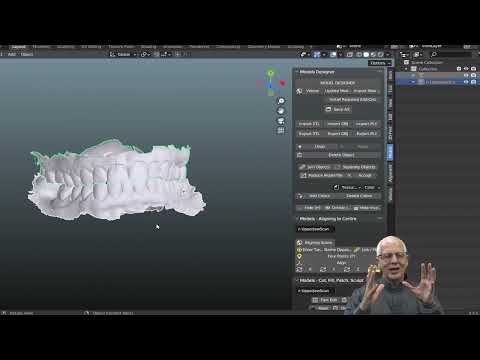
In a digital workflow, mechanical compatibility must go hand in hand with correspondence between digital files and physical parts. A design may look correct on the screen yet represent an interface different from the one available on the bench.
The sequence includes data acquisition, scan body identification, library selection, design, fabrication, and installation. Each step must preserve the identity of the selected component.
The Scan Body Must Match the Library Used
The scan body transfers the position and orientation of the restorative interface to the software. Its geometry must therefore match the item selected in the library, including manufacturer, model, platform, and version, where applicable.
Selecting a visually similar scan body in Exocad or another software program may introduce position or orientation errors. The library is not merely an illustration: it helps define the restoration’s spatial position.
The Physical Titanium Base Must Be the One Used in the Design
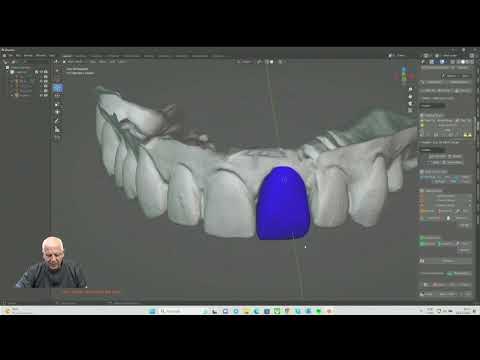
Titanium bases may differ in bonding height, antirotational geometry, transmucosal height, and screw access channel configuration. These differences affect restoration design and fabrication.
It is not appropriate to design for one part number and deliver another simply because both connect to the same implant. If a component is changed, the design must be reassessed.
The same care applies to digital analogs and printed models. Correspondence between the physical analog and its library is important for the model to accurately represent the planned position.
Does a Multi-Platform System Mean a Universal Component?
No. The term multi-platform system, sometimes abbreviated S.M.P. in Brazilian product literature, may describe a prosthetic approach that accommodates different interfaces through specific components or a standardized intermediate interface.
This does not mean that all parts can be freely combined. In some configurations, the intermediate abutment varies with the implant, while certain components above it share a common interface.
The right question is: Which part number connects this platform to this prosthetic solution? The answer must be found in the system’s catalog and instructions. Standardization may simplify inventory and communication, but it does not eliminate the need to identify each individual interface.
How to Evaluate Compatible Components: A Clinical Step-by-Step Guide
1. Retrieve the Implant Identification
Look for product labels, the implant identification card, the surgical report, patient records, and documentation from the treating clinician. Radiographs may help, but they do not always allow reliable identification of the manufacturer, model, and platform.
2. Evaluate the Existing Assembly
Check for intermediate abutments, the type of prosthesis, any history of loosening or fractures, and tissue conditions. A recurring problem should not automatically be attributed to the component’s brand: occlusion, prosthetic design, and fit also need investigation.
3. Define the Prosthetic Solution Before Purchasing
Consider restorative space, tissue height, the need for angulation correction, and maintainability. Connection compatibility is necessary, but it does not make every component suitable for the case.
4. Cross-Check Part Numbers and Instructions
Verify the implant, component, screw, instruments, and installation parameters. For digital workflows, add the scan body, library, base, and analog. Record the selected combination so the dental office and laboratory work from the same information.
5. Verify Clinical Seating
Assess stability, absence of interference, and seating according to the system’s protocol. Radiographs, when indicated, supplement the assessment but do not reveal every internal feature of the interface. Do not force tightening in an attempt to correct a discrepancy.
6. Document the Details and Arrange Follow-Up
Record part numbers, lot numbers, applied torque, and digital design information. Advise the patient about maintenance and signs that warrant a return visit, such as prosthesis mobility, discomfort, or a change in the bite.
In Clinical Practice
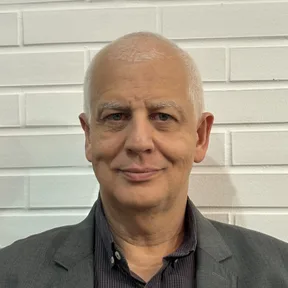
In the approach used by Dr. Welson Pimentel, who brings more than 30 years of practice and experience in prosthodontics, implant dentistry, and digital planning, component selection is integral to rehabilitation planning. It should not be left until the final stage, when the laboratory is already expected to fabricate the restoration.
Maintaining older prostheses with incomplete documentation is one situation that requires particular attention. In these cases, the priority is to reconstruct the available information and identify the interface rather than try successive parts until one appears to fit.
Communication with the laboratory is another important consideration. A request such as “compatible base for a conical implant” does not adequately describe the work. The prescription should specify the system, platform, base part number, scan body used, and planned restorative solution.
When uncertainty remains, pausing selection to confirm the details is generally more responsible than turning an identification question into clinical improvisation.
What Should Patients Know About Compatible Components?
Patients do not need to master product catalogs, but they can ask which component will be used, why it was selected, and how that selection will be documented. A part from another manufacturer does not, by itself, mean that treatment is inappropriate; what matters is a documented technical indication, a traceable source, and professional assessment.
In Brazil, the product’s applicable health regulatory status and traceability must also be checked. Regulatory compliance, however, does not replace confirmation of compatibility with the specific interface.
Patients should keep their implant identification card and records of the components installed. This information makes future maintenance easier, especially when care is transferred to another clinician.
Have questions about your treatment? Book an assessment at Dr. Welson Pimentel’s dental practice in Botafogo, Rio de Janeiro, to discuss your needs and care options. Visit the dental practice
Conclusion
Selecting compatible components across implant systems requires more than recognizing a fit. The connection, platform, indexing, screw, torque, clinical indication, and digital library must form a consistent, documented assembly.
The safest decision begins with correct implant identification and maintains traceability through installation and maintenance. If the case involves different systems or uncertainty in the digital workflow, consider speaking with Dr. Welson Pimentel or planning the digital phase with Planejamento Express before fabrication begins.
Frequently asked questions
Can a component from another brand be used with my implant?
It may be possible, provided the component manufacturer documents compatibility with the specific implant model and platform. The dentist must also assess the clinical indication, screw, torque, and product source.
Do all Morse taper implants use the same components?
No. The term Morse taper does not identify every connection dimension. Different systems may have geometries, depths, and indexing features that prevent interchangeability.
If a component fits, is it compatible?
Not necessarily. An apparent fit does not establish adequate surface contact, proper screw function, or assembly performance. The documented indication and clinical seating must be verified.
Can I use any Exocad library for a compatible titanium base?
No. The library must match the physical components used, including the scan body and titanium base. A merely similar library may cause positioning or fabrication errors.
How can an older implant be identified without documentation?
The first step is to request records from the clinician or office that placed it. A clinical examination and radiographs may help, but they do not always provide conclusive identification. When uncertainty remains, further investigation is needed before selecting components.
What torque should be used for a compatible component?
Follow the torque specified in the instructions for use for the particular component and screw combination. Copying a value from another component or system is not safe; any discrepancies must be clarified with the supplier.
Dental care in Botafogo · Rio de Janeiro
Your smile deserves personalized care
Talk to Dr. Welson Pimentel about implants, prosthetics and oral health. An assessment is the first step toward understanding the right care for you.
- ✓ Dental implants
- ✓ Dental prosthetics
- ✓ Oral health