Multi-Platform Implant Components: Less Inventory, Greater Efficiency
A multi-platform component system can simplify inventory and communication with the dental laboratory. Its benefits depend on documented compatibility, appropriate clinical indications, and proper integration into the digital workflow.

A multi-platform component system is a prosthetic standardization strategy that uses components indicated as compatible with different implant platforms, according to each manufacturer's documentation. It can reduce the variety of items in inventory and simplify the clinical-laboratory workflow, but it does not mean that any component can be placed on any implant. Efficiency depends on correctly identifying the connection, confirming that the combination is indicated, and following its instructions for use.
For practices treating patients with implants from different manufacturers, this organization offers business and operational value. The goal is not simply to buy fewer parts: it is to make better selections, reduce purchasing errors, and make restorative planning more predictable.
How a multi-platform component system works
In practice, the multi-platform concept can describe different solutions. One product line may offer specific components for several implant connections, while another may standardize certain steps above an intermediate abutment.
The first consideration, therefore, is to understand at which level compatibility applies. It may involve the implant interface, the intermediate abutment interface, or only parts of the workflow. These situations are not equivalent.
It is also important to distinguish standardization from interchangeability. An organized family of components for several systems simplifies purchasing and training, but it does not make those parts interchangeable.
When evaluating a solution marketed as a multi-platform system, ask:
- Which implants and platforms are explicitly covered?
- Will the restoration connect to the implant or to an intermediate abutment?
- Which components must be specific to each connection?
- Are there clear instructions for the screw, instruments, and torque?
- Are digital libraries available that match the physical components?
The answers reveal whether the system addresses the practice's needs or simply brings many part numbers together in one catalog.
Read also: Quality in Implant Prosthetic Components: ISO 13485 and What It Guarantees · Hand Drivers and Torque Wrench Drivers: Choosing the Right Tool · Universal vs. Temporary Abutments: Differences in Clinical Use
Why prosthetic components increase inventory
Inventory grows because prosthetic selection involves several variables at once: connection, platform, transmucosal height, restorative space, retention type, and type of prosthesis.
A practice may need to provide single crowns, multi-unit restorations, and extensive rehabilitations. Even within a single implant family, these indications may require different components.
The problem grows when purchases are made case by case without tracking usage. Duplicate parts, disorganized packages, outdated part numbers, and items purchased for situations that rarely recur begin to accumulate.
Reducing inventory does not mean eliminating necessary clinical options. It means reducing redundancy while maintaining reliable access to the components actually used.
A carefully selected multi-platform strategy can help, provided that reducing variety does not compromise clinical suitability or make replenishment difficult.
Component compatibility: what to verify
Visual similarity between two connections does not establish compatibility. Nor does a component's apparent seating justify its clinical use.
Contact geometry, manufacturing tolerances, indexing, and screw characteristics all affect the assembly's mechanical behavior. An unsuitable combination can compromise seating and contribute to instability or mechanical complications.
Implant connection and platform
Terms such as external hex, internal hex, and conical connection describe families of interfaces. By themselves, they do not identify a safe implant-component combination.
The manufacturer, product line, platform, and other relevant specifications must be verified. Likewise, implant body diameter should not be the sole criterion for selecting the prosthetic platform.
For older cases, identification may require patient records, an implant identification card, information from the treating clinician, and radiographic documentation. Radiographs help, but they do not always allow definitive identification of the implant placed.
Screw, driver, and recommended torque
The screw is part of the connection design. Its length, threads, head geometry, and bearing surface must match the indicated assembly.
It is not safe to substitute a screw because it looks similar or starts threading into place. There is also no single torque value that applies to all multi-platform components.
Torque must follow the instructions for use for the selected assembly. If documents conflict or the combination is uncertain, clarify the issue with technical support before placement.
Transmucosal height and restorative indication
Mechanical compatibility is necessary, but it is not sufficient. The component must also accommodate restorative space, peri-implant tissues, the emergence profile, and hygiene requirements.
Components for single-unit and multi-unit restorations may differ in indexing and indications. Choosing solely by fit or price overlooks important factors affecting prosthesis stability and maintenance.
Comparison: fragmented inventory versus a multi-platform strategy
The main organizational advantage emerges when a practice stops purchasing isolated part numbers and starts using a matrix of approved components.
| Factor | Fragmented inventory | Organized multi-platform strategy |
|---|---|---|
| Component selection | Scattered searches across multiple catalogs | Centralized compatibility matrix |
| Purchasing | Reactive orders and duplicate purchases | Usage-based replenishment |
| Communication | Incomplete or informal descriptions | Standardized codes and specifications |
| Digital workflow | Libraries selected case by case | Previously verified libraries |
| Training | Reliance on individual knowledge | Protocols shared across the team |
| Clinical limitations | Identified during treatment | Mapped before purchasing |
These benefits are not automatic. A system with inadequate documentation or inconsistent supply may simply replace fragmentation with another operational challenge.
How to choose a multi-platform component system
Purchasing should start with the practice's case mix, not the size of the catalog. The best solution safely covers recurring needs while allowing the practice to manage exceptions.
Documentation and regulatory status
Verify applicable regulatory compliance, instructions for use, manufacturer identification, and product traceability. Compatibility information must be clear enough to guide selection without relying on informal interpretations.
Request written documentation for the intended combination. Generic claims that a component is “universal” do not replace technical specifications.
Also review warranty and support terms. Using components from another manufacturer may affect those terms, and these implications should be understood before adoption.
Coverage of prosthetic needs
Map the solutions needed for the most common cases: abutments, intermediate abutments, titanium bases, provisional components, screws, analogs, and scan bodies, as applicable.
The availability of a definitive titanium base, for example, may not solve the case if the components needed to transfer its position into the digital environment are unavailable.
Also evaluate heights, restorative options, and indication limits. A streamlined product line is useful when it covers actual needs; it becomes restrictive when it forces treatment to conform to inventory.
Replenishment and total cost
Unit price is only part of the analysis. Consider delivery times, availability, clarity of part numbers, technical support, and procedures for handling incorrect orders.
The financial assessment should include capital tied up in rarely used items and time spent checking components and placing urgent orders. Remakes and rescheduled appointments also represent costs, even if they do not appear on the component invoice.
The goal is to reduce operating costs without shifting risk to treatment.
Multi-platform systems in the CAD/CAM workflow
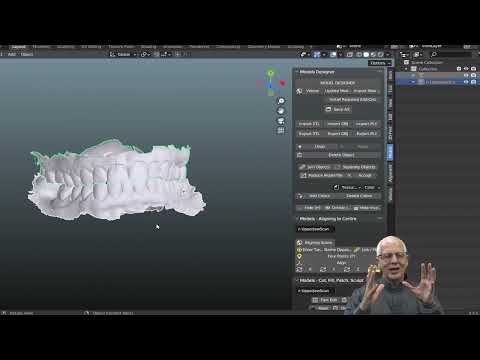
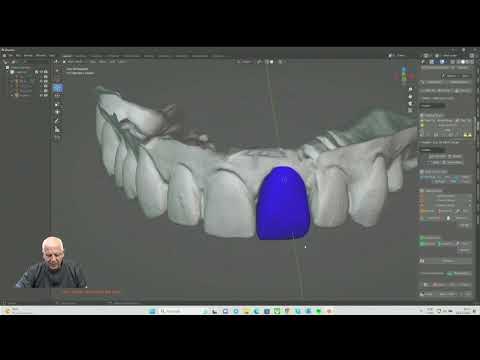
In a digital workflow, physical compatibility must match the virtual configuration. Having the correct clinical component is not enough if the library used for the design represents a different part.
The scan body links the captured position to geometry recognized by the software. Selecting the wrong library can produce an unsuitable design even when the mesh appears visually satisfactory.
Exocad libraries and component matching
When using Exocad or another CAD application, verify:
- The manufacturer and part number of the scan body used.
- The platform and restorative level: implant or abutment.
- The restorative component selected in the library.
- The indication for single-unit or multi-unit restorations.
- The parameters and limitations provided for that solution.
- The matching analog, when a printed model is used.
Libraries with similar names should not be treated as equivalent. Updates also require version control so the practice and laboratory know which files were used for each case.
Digital communication with the laboratory
The laboratory prescription should provide more than the system's brand name. Document the platform, component, height, part number, and library, along with the planned restoration.
A standardized form reduces repeated questions and helps detect inconsistencies before fabrication. Review should cover both the virtual design and the seating and clinical suitability of the fabricated components.
Step-by-step guide to reducing prosthetic component inventory
The transition does not need to happen all at once. Gradual implementation makes it easier to assess results while preserving alternatives for nonstandard cases.
1. Conduct a technical inventory
List existing items by part number, manufacturer, connection, platform, height, quantity, and condition for use. Check packaging integrity and expiration dates, when applicable.
Separate clearly identified materials from parts whose origin or specifications are not adequately documented.
2. Map clinical usage
Identify which platforms and types of prostheses occur most frequently. Distinguish regularly used items from those purchased for exceptional situations.
Use practice records, rather than team recollection alone, to guide decisions.
3. Build a compatibility matrix
Match each platform treated in the practice to components explicitly indicated for it. Include the screw, driver, torque specified in the instructions, scan body, library, and information source.
Also document incompatibilities and cases that require technical consultation.
4. Test the workflow within a defined scope
Start with a common application after confirming its clinical suitability. Check ordering, receiving, scanning, design, fabrication, and placement.
Expansion should follow process consistency, not simply a sales opportunity to purchase a larger quantity.
5. Standardize purchasing and identification
Define who authorizes substitutions and how part numbers will be recorded. Organize storage to preserve packaging, traceability, and identification until use.
Standardized descriptions help prevent confusion between similar names during replenishment.
6. Review performance
Track emergency purchases, unused inventory, selection errors, and the need for remakes. Adjust minimum stock levels to demand and supplier lead times.
The goal is to maintain availability with less redundancy, not to achieve the smallest possible number of parts.
In clinical practice
Dr. Welson Pimentel's experience in prosthodontics, implant dentistry, and digital planning supports a key priority: components should be selected within the restorative plan, not as an isolated purchasing decision.
For patients whose implants were placed many years ago, identifying the system may be more important than immediately selecting the definitive solution. Proceeding based only on the connection's appearance turns diagnostic uncertainty into technical risk.
In new cases, integrating implant position, restorative space, and the restorative solution allows the necessary components to be organized in advance. For existing rehabilitations, clinicians must work with the conditions present and recognize when a standardized solution does not apply.
For patients, the explanation can be simple: the component must be compatible with the implant and appropriate for the prosthesis. Standardization helps the team stay organized, but it never replaces individual assessment.
Have questions about your treatment? Book an assessment at Dr. Welson Pimentel’s dental practice in Botafogo, Rio de Janeiro, to discuss your needs and care options. Visit the dental practice
Conclusion
A multi-platform component system can reduce inventory redundancy, simplify purchasing, and improve communication between the practice and laboratory. Its value lies in the combination of documented compatibility, appropriate clinical selection, reliable supply, and alignment with the digital workflow.
Before changing suppliers or increasing orders, organize the platforms your practice treats and validate the complete restorative workflow. To integrate these decisions into digital prosthetic and surgical planning, speak with Dr. Welson Pimentel or explore case-planning support from Planejamento Express.
Frequently asked questions
Does a multi-platform component system work with any implant?
No. Each component must have a documented indication for the connection and platform being used. Multi-platform does not mean universally compatible.
Can components from different manufacturers be combined?
Combining components requires explicitly documented compatibility, adherence to the instructions for use, and review of warranty and support terms. Visual similarity or apparent fit is not sufficient.
How does a multi-platform system help reduce inventory?
It can standardize component families and workflow steps, reducing redundancy. Results depend on the practice's case mix, its compatibility matrix, and usage-based replenishment.
What torque should be used for multi-platform components?
There is no universal torque value. Use the value specified in the instructions for use for the selected assembly, and clarify any discrepancies with technical support before placement.
Do I need to use a specific library in Exocad?
Yes. The library must match the scan body, platform, restorative level, and selected restorative component. Libraries with similar names are not necessarily equivalent.
How can I determine whether adopting a multi-platform system is worthwhile?
Compare coverage of recurring cases, technical documentation, digital support, replacement availability, and total operating costs. Gradual adoption lets you verify the workflow before expanding inventory.
Dental care in Botafogo · Rio de Janeiro
Your smile deserves personalized care
Talk to Dr. Welson Pimentel about implants, prosthetics and oral health. An assessment is the first step toward understanding the right care for you.
- ✓ Dental implants
- ✓ Dental prosthetics
- ✓ Oral health