Digital Dentistry Courses: How to Choose the Right Training
Choosing a digital dentistry course means evaluating more than the software being taught. Learn how to compare curricula, supervised practice, facilities, and clinical applications.

The best digital dentistry course connects your clinical goals with software proficiency, supervised practice, and clear criteria for validating results. Before enrolling, compare prerequisites, course content, access to tools, instructor experience, and support. Learning commands alone is not enough to implement a digital workflow safely.
For dentists searching for a “digital dentistry course,” the options can seem confusing. Programs in scanning, implant planning, prosthetic design, 3D printing, and workflow integration are often marketed under the same label. Start by defining the problem you want to solve in your practice or laboratory.
Digital Dentistry Courses: Which Training Fits Your Goals?
Digital dentistry is not a single clinical specialty, nor does it simply mean owning a scanner. It encompasses methods for data acquisition, analysis, planning, design, and manufacturing that can support multiple areas of dentistry.
An introductory course should provide a structured overview of these processes. Advanced training should explore the decisions and procedures involved in a specific stage while maintaining a connection to diagnosis and clinical delivery.
For Those New to Digital Workflows
Beginners generally benefit from training that explains how data move between the practice, planning, and production. Before designing a restoration or surgical guide, it is important to understand what each file represents and which errors could compromise its use.
Look for topics such as:
- Intraoral scanning and assessment of scan quality.
- Photography, occlusal records, and laboratory communication.
- Computed tomography when clinically indicated.
- Differences between imaging files and surface files.
- Integration of planning, design, and manufacturing.
- Tool limitations and required verification steps.
This foundation helps prevent a common mistake: investing in advanced training before understanding the records that drive treatment planning.
For Dentists Already Working in Restorative or Implant Dentistry
Clinically experienced dentists can seek training tailored to their needs. In restorative dentistry, the focus may be on designing crowns, provisional restorations, and implant-supported restorations. In implant dentistry, it may involve integrating prosthetic planning, anatomy, and guided surgery.
In these cases, evaluate whether the program discusses clinical decisions or simply walks through software interface exercises. Knowing how to complete a design does not, by itself, mean it is suitable for fabrication and use.
Read also: Surgical Guide Design in Blender: The Complete Workflow · Dental Implant Planning Software Comparison · Nemoscan: Features for Implant Planning and Surgical Guides
How to Compare Digital Dentistry Courses
Comparisons become more objective when you distinguish the advertised topic from the skill you want to develop. The table below provides a starting point.
| Training Area | Primary Goal | What to Look for in the Curriculum |
|---|---|---|
| Introduction to digital workflows | Understand the stages and organize daily workflows | Records, files, integration, and quality control |
| Intraoral scanning | Produce usable records | Scanning strategies, tissues, occlusion, and error detection |
| Dental CAD | Design restorations and appliances | Margins, contacts, thicknesses, libraries, and manufacturing |
| Implant planning | Integrate anatomy with prosthetic goals | CT imaging, registration, positioning, and clinical limitations |
| Guided surgery | Plan and verify surgical guides | Support, stability, sleeves, instrumentation, and validation |
| Dental 3D printing | Organize fabrication for intended applications | Appropriate materials, parameters, post-processing, and traceability |
None of these training paths replaces the clinical knowledge required to recommend and perform treatment. A standalone training course is also not equivalent to specialty training and does not automatically expand your scope of practice.
Dental Software: Choose Based on Workflow, Not Just the Name
Software deserves consideration, but it should not be your only enrollment criterion. A more useful question is: Does this tool let me perform the step I want to incorporate into my workflow with the resources and partners available to me?
It is also important to check the software version, required modules, and access terms. A class may demonstrate features that are not available under the student's license.
Exocad and Blender for Dental for Dental Design
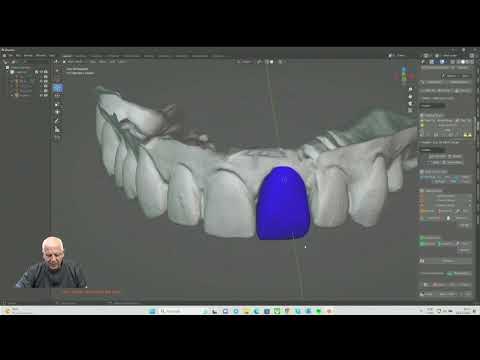
Exocad courses may cover restoration design, implant-supported work, and other applications, depending on the available modules. When comparing courses, look for instruction on margins, proximal contacts, occlusion, thicknesses, and library compatibility.
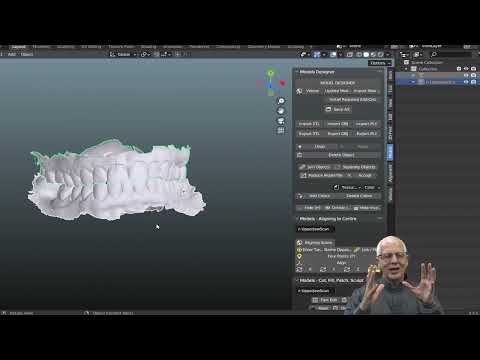
For Blender for Dental, evaluate which modules and applications will be taught and what prior knowledge is required. Modeling flexibility must be paired with clinical and manufacturing parameters, not just visual refinement.
In both cases, the course should explain how to check the design and recognize when it needs revision or new records are required.
Exoplan and Nemoscan for Implant Planning
For planning courses using Exoplan or Nemoscan, look for an approach that integrates anatomy, the proposed restoration, and surgical execution. Registration between CT imaging and intraoral scans must be verified; automatically accepting the result displayed on the screen is not enough.
If guide design is included, the curriculum should address support, seating, stability, access, sleeves, and compatibility with the guided surgery system being used. Available features depend on the software configuration and version.
Medit Link and Record Integration
In training that uses the Medit ecosystem, consider how Medit Link supports the organization, visualization, and exchange of information. The curriculum should distinguish platform functions, associated applications, and features of the scanning equipment.
A good course teaches both how to share files and how to verify that they are complete and suitable for the next stage.
Supervised Practice: What a Good Course Should Deliver
Course hours alone do not reveal the quality of training. A lengthy program may offer little hands-on work, while a more focused course may be appropriate for a specific skill, provided its limits are clear.
The key is understanding how much of the work you will perform and how you will receive feedback.
Demonstrations Do Not Replace Individual Practice
Watching an instructor work through a case helps clarify the sequence. However, learning becomes more firmly established when students import files, identify problems, make decisions, and revise their own results.
Before enrolling, ask:
- Does each student complete the entire exercise?
- Are class files available for further study, with appropriate authorization and data protection?
- Is feedback individualized, or are questions addressed only as a group?
- Does the course include imperfect records and situations requiring revision?
- Are results evaluated beyond simply completing the steps?
- Can students practice again after class?
Well-organized teaching cases are useful at the beginning. To develop independence, however, students also need to recognize situations in which they should not proceed.
Validation Criteria Should Be Part of the Curriculum
A sound training program explains what must be checked before approving a design. For a restoration, this may include margins, contacts, and thicknesses. For a surgical guide, it includes seating, stability, and compatibility between components and instruments.
Digital validation does not eliminate physical and clinical checks. The design must also be evaluated in relation to the material, manufacturing process, and actual conditions of use.
Online, In-Person, or Hybrid Courses: Which Should You Choose?
The ideal format depends on the subject matter and your ability to work independently. No single format is best for every stage.
An online course can work well for fundamentals, demonstrations, and software exercises, especially when it provides training files, lesson replays, and feedback. Without corrective feedback, you may repeat errors without recognizing them.
An in-person course supports activities involving equipment, record acquisition, and physical evaluation of fabricated parts. Still, confirm that students will participate individually: watching a demonstration from across the workbench is not equivalent to practicing.
A hybrid format allows students to study concepts in advance and use class meetings to perform tasks and discuss challenges. Its quality depends on how well the stages are integrated, not simply on combining videos with in-person classes.
If training involves patient care, verify supervision, consent procedures, facilities, and responsibilities. Software practice, on the other hand, does not necessarily require live patient treatment.
Investing in a Digital Dentistry Course: Evaluate the Full Cost
Tuition is only one part of the decision. To apply what you learn, you may need a software license, a compatible computer, additional modules, or outsourced manufacturing services.
Request information about:
- Hardware and operating system requirements.
- Software licensing during and after training.
- Included modules, libraries, and features.
- Materials required for hands-on exercises.
- How long lessons and support remain accessible.
- Potential travel and fabrication expenses.
You do not need to purchase every piece of equipment to get started. Depending on your goals, you can develop the skills to evaluate records, discuss treatment plans, and work with specialized partners.
This distinction matters: someone who wants to improve communication with a treatment planning center does not necessarily need the same training as someone who intends to perform every design and manufacturing step in-house.
In Clinical Practice
From the clinical perspective of Dr. Welson Pimentel, whose background includes more than 30 years in practice, training in prosthodontics and implant dentistry, and experience teaching dental software, course selection should begin with treatment—not the interface.
In an implant case, for example, virtually positioning a component is only one part of the work. Anatomy, the future restoration, tissues, surgical access, and feasibility must all be considered together. A convincing image is not enough to approve a treatment plan.
The same reasoning applies to prosthetic CAD: a visually polished design must respect the records, material, and clinical conditions. When input data are inadequate, the correct approach may be to obtain new records rather than attempt to compensate in the software.
Three questions summarize this approach to evaluating training:
- What do I need to check before starting?
- Which decisions require clinical judgment?
- How do I verify that the result is ready for the next stage?
Training that answers these questions offers more than a sequence of commands: it teaches students to recognize limitations and justify decisions.
Step-by-Step Guide to Choosing Digital Dentistry Training
1. Define an Initial Application
Write down a concrete goal, such as evaluating scans, designing provisional restorations, or planning guided surgery cases. Avoid starting with the broad goal of learning all of digital dentistry.
2. Check the Prerequisites
Compare your clinical knowledge and computer skills with the program's requirements. Ask the course coordinator for guidance if you are unsure which level is appropriate.
3. Request a Detailed Curriculum
Look for measurable skills, not just phrases such as “complete workflow.” The curriculum should specify what will be demonstrated, practiced, and evaluated.
4. Evaluate the Instructor, Facilities, and Support
Check the instructor's experience with the application being taught, the available resources, and the feedback process. Also confirm how long post-course support is available and which communication channels are used.
5. Plan for Implementation After the Course
Set aside time to review exercises and establish a workflow that fits your resources. Start with applications appropriate to your competence, maintaining supervision or technical support when needed.
Be cautious of promises of immediate mastery, guaranteed financial returns, or results that do not depend on clinical experience. A credible course presents opportunities but also explains prerequisites and limitations.
Have questions about your treatment? Book an assessment at Dr. Welson Pimentel’s dental practice in Botafogo, Rio de Janeiro, to discuss your needs and care options. Visit the dental practice
Conclusion
Choosing a digital dentistry course requires aligning clinical goals, course content, software, supervised practice, and realistic implementation conditions. The best investment is training that helps you understand the process, perform the proposed steps, and recognize when a result needs revision.
Before enrolling, compare programs using objective criteria and prioritize the ability to validate decisions. If you want to establish your workflow or discuss case planning, contact Dr. Welson Pimentel or explore the support available through Planejamento Express.
Frequently asked questions
What is the best digital dentistry course for beginners?
Look for a course that covers digital records, file types, workflow integration, and quality control, with exercises and corrective feedback. Your choice should reflect your area of practice and the application you want to introduce first.
Do I need an intraoral scanner to take a course?
Not necessarily. Planning and design courses can use training files or records provided by partners. However, a course focused on intraoral scanning should provide access to equipment for hands-on practice.
How do I choose between Exocad training and a guided surgery course?
If your goal is to design restorations and prostheses, Exocad training may be a better fit. To plan implants and surgical guides, look for dedicated training that integrates anatomy, prosthetic planning, and surgical execution.
Is an online digital dentistry course worth it?
It can be, especially for fundamentals and software practice, provided it includes exercises, access to the necessary tools, and feedback. Activities involving equipment and physical evaluation of fabricated parts may require additional in-person practice.
Is a certificate from a standalone course equivalent to specialty training?
No. A standalone course certificate documents participation or completion according to the provider's criteria, but it does not confer specialist status or automatically expand your scope of practice.
What costs should I consider beyond tuition?
Check software licenses, additional modules, a compatible computer, practice materials, fabrication costs, and travel expenses. Confirm what is included and which resources will remain available after the course.
Dental care in Botafogo · Rio de Janeiro
Your smile deserves personalized care
Talk to Dr. Welson Pimentel about implants, prosthetics and oral health. An assessment is the first step toward understanding the right care for you.
- ✓ Dental implants
- ✓ Dental prosthetics
- ✓ Oral health